
Workflow audit
Map the process from start to finish, identify handoffs and bottlenecks, and understand where automation can help.
CodeWavee service / AI Workflow Automation
Connect the recurring steps across your business, from intake and approvals to routing and reporting. We design automation around your existing tools, with clear ways for people to review exceptions and stay in control.
How it works
Map the process from start to finish, identify handoffs and bottlenecks, and understand where automation can help.
Define triggers, routing, integrations, exception handling, and the role people keep in the workflow.
Develop in focused stages, review progress together, and test the workflow against realistic cases.
Prepare the workflow for production, monitor its behavior, and refine it as your team uses it.
What we build
Start work from events such as form submissions, email, scheduled jobs, or system updates.
Classify unstructured requests and route them using context, clear rules, and appropriate review.
Connect business systems through APIs and webhooks, with attention to authentication and data mapping.
Add retries, failure queues, and notifications so exceptions are visible and recoverable.
Use custom Python or JavaScript when a workflow needs logic beyond standard integrations.
Record workflow activity so teams can trace execution, review failures, and understand performance.
Who it is for
For recurring data entry, status updates, and handoffs across people and systems. Start by mapping where work repeats, waits, or needs a decision.
For intake, scheduling, billing, and other administrative processes. Workflow design can make handoffs clearer while keeping staff review in the right places.
For order, return, inventory, and supplier workflows with frequent updates and exceptions. Connecting these steps can help teams see where a request needs attention.
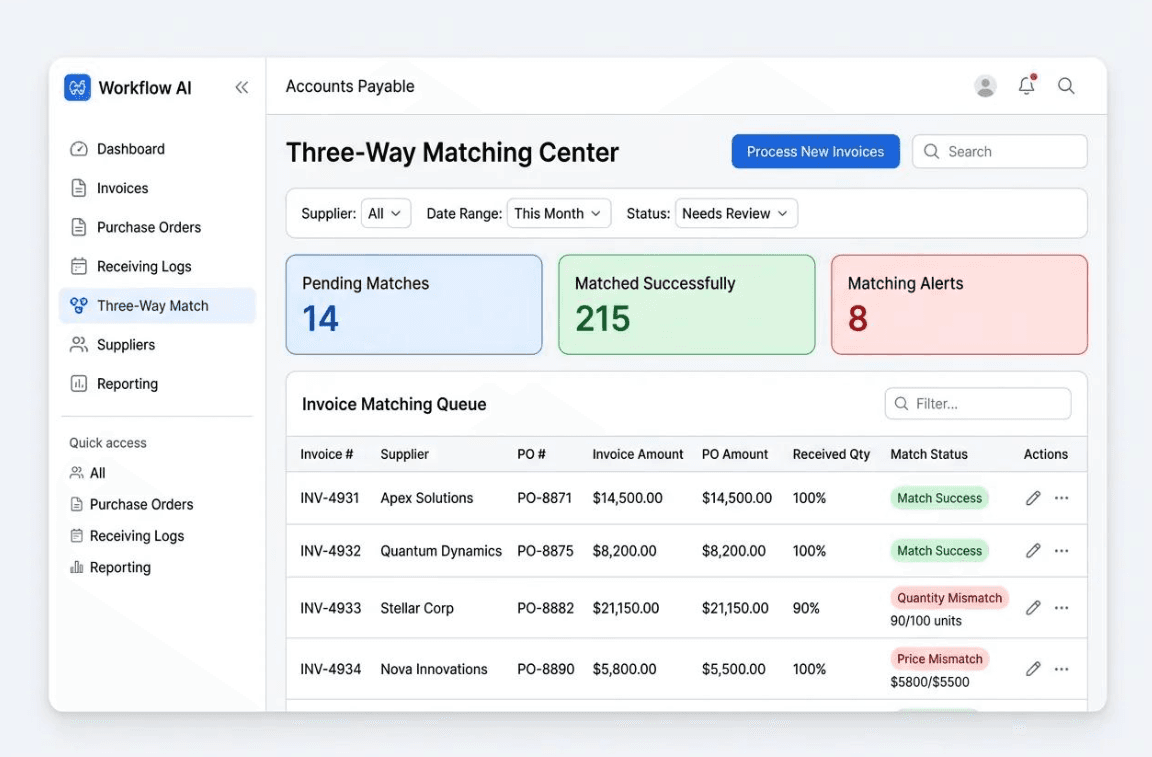
For invoice handling, approval routing, expense review, and recurring reporting. A mapped workflow can clarify validation steps, decision ownership, and exceptions.
Measured outcomes
Average reduction in administrative hours within the first 90 days.
Prior-authorization handling time with AI-assisted extraction and form completion.
Invoice processing time for standard cases.
Routine data-entry errors when manual transfer is removed from the workflow.
About this service
AI workflow automation connects the events, decisions, and actions that make up a recurring business process. A workflow can collect information, route it to the right place, update connected systems, and bring a person in when a decision needs review.
A useful starting point is often a high-volume handoff: information copied between tools, approvals managed through email, or a report assembled by hand. Mapping that process first helps identify what can be automated and where human judgment still matters.
Modern integrations work directly with APIs and webhooks where available, rather than relying only on simulated user actions. AI can help interpret unstructured inputs, while monitoring, access controls, and recovery paths make the workflow easier to operate responsibly.
FAQ
Many focused projects take around 4-6 weeks, depending on the workflow, integrations, and review requirements.
We choose tools to fit the workflow and your existing stack. Projects may use platforms such as n8n or Make, with custom Python services when the business logic calls for them.
We can assess API, webhook, and data integration options across the systems your team already uses, then plan the connections around access and technical constraints.
We plan for retries, clear error states, and alerts so a person can review cases that cannot safely complete on their own.
Related work
An automated lead management workflow designed to capture incoming enquiries, validate lead information and distribute new leads to the appropriate sales channels.
An automated procurement workflow designed to generate purchase orders from structured spreadsheet data and organize document storage, approval notifications and order tracking.
Streamline purchase order creation by using Google Sheets as a structured source for purchase order data, reducing repetitive manual entry when processing multiple orders.
Ready to get started?
We’ll help you define a practical next step for your team.
Start a conversation ↗